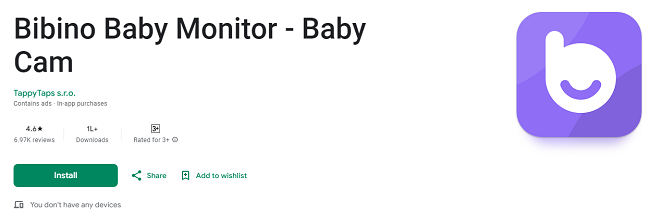
Bibino Baby Monitor App - Download for Android
In today's fast-paced world, ensuring your baby's safety and comfort is one of the highest priorities for any parent. Whether you're working from home, out shopping, or simply want to keep an eye on your little one while they nap, having a reliable baby monitor is essential. That's where the Bibino Baby Monitor App comes in. Designed with convenience, affordability, and functionality in mind, the Bibino app is the perfect solution for Android users who want to keep an eye on their baby, no matter where they are.
This guide will provide you with all the information you need to download, install, and make the most of the Bibino Baby Monitor App on your Android device. Let’s dive into how this powerful app can help make parenting easier and give you peace of mind, whether you are at home or on the go.
Why Choose the Bibino Baby Monitor App?
Before we get into the specifics of how to download and set up the Bibino app on your Android device, it’s important to understand why this app has become the go-to choice for thousands of parents around the world.
1. Affordable and Convenient
Traditional baby monitors often require expensive hardware and complex setups. With Bibino, there’s no need to purchase costly gadgets. Simply use two Android devices—one to act as the baby camera and the other as the parent monitor. This makes Bibino an affordable option for parents looking for high-quality monitoring without breaking the bank.
2. High-Definition Video and Audio
Bibino allows you to monitor your baby in crystal-clear HD video, ensuring you never miss a moment. Whether your baby is peacefully sleeping or playing, you’ll be able to see them with remarkable clarity. In addition to video, the app also offers excellent audio monitoring, allowing you to hear every sound in the room, from your baby’s gentle cooing to any potential disturbances.
3. Remote Monitoring with Unlimited Reach
One of the best features of the Bibino app is that it works over both Wi-Fi and mobile data (3G, LTE), giving you the freedom to monitor your baby from anywhere. You don’t have to be in the same room, or even the same country, to keep track of your baby’s activity. Whether you’re in the office or traveling, the app ensures you stay connected to your little one.
4. Easy Setup and User-Friendly Interface
Setting up the Bibino Baby Monitor app is incredibly simple. You don’t need to be tech-savvy to get started. The app’s intuitive design ensures that you can quickly configure the monitoring system and start using it right away. Even first-time users can set up the system within minutes, making it a hassle-free experience for busy parents.
5. Motion Detection and Activity Log
Bibino comes equipped with motion detection that alerts you when your baby moves. This is particularly useful if your baby is restless or if you want to be notified of any sudden activity. The app also keeps a detailed activity log, which records events such as sounds, videos, or images during the monitoring session. This feature helps you track your baby’s sleep patterns, growth, and general activity over time.
6. Lullabies and Soothing Sounds
Bibino doesn’t just allow you to monitor your baby; it also lets you soothe them. With a collection of lullabies and soothing sounds such as white noise or household noises, the app helps your baby relax and fall asleep. You can also communicate with your baby through the microphone feature, soothing them with your voice if needed.
How to Download Bibino Baby Monitor App for Android Device?
Now that you know why Bibino is the ideal baby monitor app, let’s go over how to download and install it on your Android device. Follow these simple steps to get started:
Step 1: Open the Google Play Store
The first step to downloading the Bibino Baby Monitor App is to open the Google Play Store on your Android device. You can find the Play Store app on your home screen or in your app drawer.
Step 2: Search for “Bibino Baby Monitor”
Once the Play Store is open, go to the search bar at the top of the screen. Type in "Bibino Baby Monitor" and press enter. This will bring up a list of search results related to the app.
Step 3: Select the Bibino App
The Bibino Baby Monitor app should be at the top of the search results. Tap on the app’s icon to view the full app page. Here, you’ll find more information about the app, including screenshots, features, and user reviews.
Step 4: Tap Install
On the Bibino app page, tap the Install button. The app will begin downloading and automatically install onto your Android device.
Step 5: Open the App
Once the installation is complete, you’ll see an Open button. Tap it to launch the app and begin setting it up. If you’re not ready to open the app right away, you can also find the Bibino app icon on your home screen or in your app drawer.
How to Set Up the Bibino Baby Monitor App on Android?
Now that the app is installed on your device, follow these simple steps to set it up:
Step 1: Create an Account or Log In
When you open the Bibino app for the first time, you will be prompted to create an account or log in if you already have one. You can create an account using your email or by signing in through your social media profiles. If you have an existing account, simply enter your credentials to log in.
Step 2: Set Up the Baby Camera
Once logged in, the app will ask you to designate one of your Android devices as the baby camera. Place this device in your baby’s room, making sure it has a clear view of the crib or play area. Ensure the camera device is plugged into a charger, as video streaming can quickly drain the battery.
Step 3: Set Up the Parent Device
Now, take your second Android device and open the Bibino app on it. This device will act as the parent monitor. Log in with the same account you created earlier. The app will automatically connect the parent device with the baby camera device, enabling you to view the live feed.
Step 4: Customize Your Settings
The Bibino app offers a variety of customization options to suit your needs. These include:
Video and Audio Settings: Adjust the video quality and audio sensitivity to ensure optimal monitoring.
Motion Detection: Set up motion alerts to notify you if your baby moves or wakes up.
Lullabies and Soothing Sounds: Choose from a variety of lullabies or relaxing sounds to help your baby fall asleep.
Night Light: If you’re monitoring at night, enable the night light feature for soft illumination.
Step 5: Start Monitoring
Once everything is set up, you can start monitoring your baby. The app will begin streaming live video and audio from the baby camera device to the parent device. You can check in on your baby at any time, and the app will alert you to any movements or sounds.
Premium Features of the Bibino Baby Monitor App
While the free version of Bibino offers excellent monitoring capabilities, the Premium version unlocks additional features to enhance your experience. Some of the benefits of upgrading to Bibino Premium include:
Unlimited Cloud Storage: Save all your recorded videos, images, and activity logs without worrying about storage limits.
Advanced Motion Detection: Receive more detailed alerts based on your baby’s activity.
Priority Support: Get faster responses and assistance if you encounter any issues with the app.
No Ads: Enjoy an ad-free experience with the Premium version.
You can start a free trial of the Premium version and enjoy these benefits for a limited time before deciding if it’s right for you.
Benefits of Using the Bibino Baby Monitor App on Android
1. Convenience and Flexibility
With Bibino, you can monitor your baby from anywhere, as long as you have an internet connection. Whether you’re in another room, at work, or on vacation, you can check in on your baby at any time. The app’s flexibility ensures you can keep track of your baby’s safety no matter where you are.
2. Peace of Mind for Parents
One of the biggest advantages of the Bibino Baby Monitor app is the peace of mind it provides. Knowing that you can hear and see your baby at any moment is incredibly reassuring, especially for new parents. You can rest easy knowing that you’ll be notified of any changes in your baby’s behavior, no matter how far away you are.
3. Cost-Effective
Traditional baby monitors often require expensive hardware and complicated setups. With Bibino, you can reuse devices you already own, saving money while still getting all the features you need in a high-quality baby monitor.
4. Multi-Device and Multi-Baby Support
Bibino supports multiple parent devices and even allows you to monitor up to four babies simultaneously from a single parent station. This is perfect for parents with multiple children or families who want to share the monitoring responsibilities.
Conclusion
The Bibino Baby Monitor App is a game-changer for modern parents. Offering a cost-effective, convenient, and feature-rich solution for baby monitoring, Bibino is perfect for anyone looking for peace of mind. Whether you’re using your Android device at home or on the go, Bibino ensures that you’re always connected to your baby.
By following the steps outlined above, you can quickly download, install, and start using the app, making it an essential part of your parenting toolkit. Download Bibino Baby Monitor today from the Google Play Store and experience the ultimate in remote baby monitoring!